This article provides guidelines on how to onboard eligible partners to the Request To Book booking flow.
Before bringing a partner on board with Request to Book, you, the Connectivity Provider must inform the partner on how the RtB flow works.
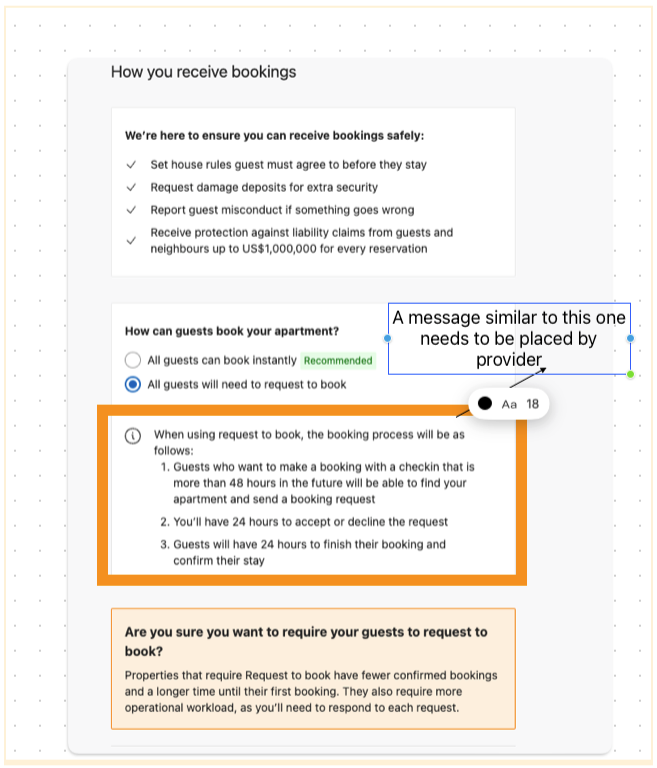
To do this, you must show the following text on your interface when onboarding a partner:
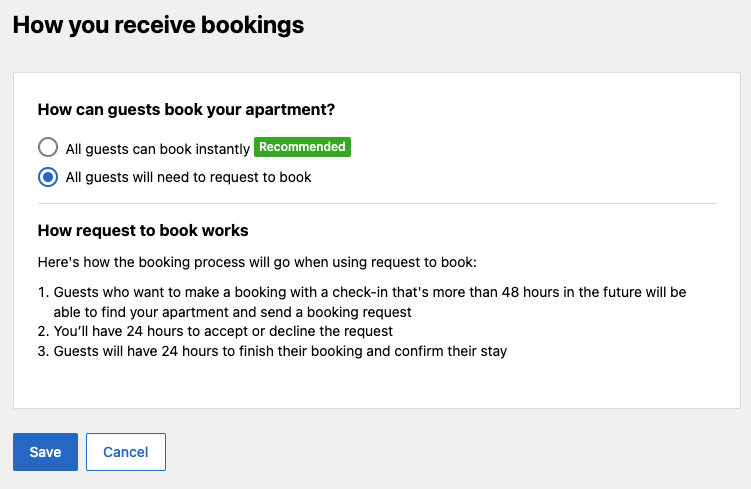
When using request to book, the booking process will be as follows:
- Guests who want to make booking with the checkin that is more than 48 hours in the future will be able to find your apartment and send the booking request.
- You'll have 24 hours to accept or decline the request.
- Guests will have 24 hours to finish their booking and confirm their stay.
This is how Booking.com shows the above text in our registration flow when the partner selects the Request To Book option.
Partners should be aware that they are expected to take action on the request within 24 hours by either approving or rejecting it.
Connectivity providers must inform their partners that when they use Request to Book, they are subject to the same non-discrimination policy as partners who do not use a connectivity provider.
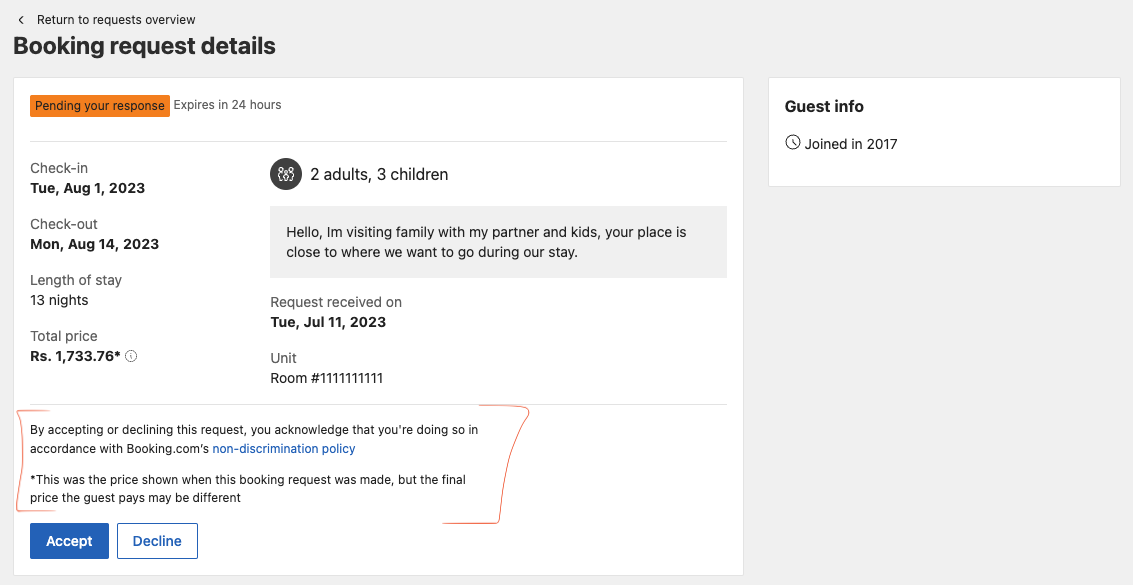
The following text and non-discrimination policy must be displayed to partners each time they accept or decline a booking request on the provider interface:
By accepting or declining this request, you acknowledge that you are doing so in accordance with Booking.com's non-discrimination policy.
This is how Booking.com displays the disclaimer in the Extranet. You must also display this disclaimer where properties manage (accept or decline) incoming booking requests.
To get started, you need a property with RtB booking model. You can leverage Content API OTA_HotelDescriptiveContentNotif call to:
- Onboard a new eligible property, or,
- Change the booking model (
RTBorIB) of an existing eligible property
In order to make use of the Content API to change a property's booking model to RtB, you must have the content_api_rtb_enabled feature on. You can do this in the provider portal by going to your feature management.
Please note that, eligible partners can also use Extranet policy page to change their preferred booking model, at any given time. For detailed steps please refer to the partner portal article.
Dive into Content API documentation to get started with opting-in & opting-out of RtB.
See Pre-reservation messaging documentation on how to enable and use Messaging API for RtB pre-reservation messaging and its limitations.